Most "chat with your documents" tools work the same way: you upload your files to somebody else's server, they get chopped up and embedded in somebody else's database, and your questions get sent off to an API before you see an answer. That's fine for a lot of use cases, but it's not fine for tax documents, contracts, medical notes, internal codebases, or anything else you'd rather not hand to a third party.
HomeBred-RAG is a local RAG tool built for exactly that situation. It ingests a folder of Markdown, plain text, source code, PDF, or scanned image files, indexes them entirely on your own machine, and answers your questions with citations back to the exact file they came from. Nothing leaves your computer unless you explicitly choose to. It's available both as a command-line tool and as a native desktop app.
Why a local RAG tool matters
Retrieval-augmented generation, or RAG, is the technique behind most "chat with your files" products: instead of asking a language model to answer from memory, you first search your own documents for the most relevant passages, then hand those passages to the model as grounding. It's a great pattern because it reduces hallucination and gives you sources you can actually verify.
The problem is that most RAG products bundle that pattern with a cloud vector database and a cloud LLM by default, even when neither is necessary. A local RAG tool flips that: retrieval happens on-device, and sending anything to a remote model becomes optional rather than assumed.
What HomeBred-RAG actually does
Point HomeBred-RAG at a folder and it will recursively walk it, parse every file it recognizes, split the text into overlapping chunks, and generate a local embedding for each chunk. Those embeddings go into an in-memory vector index alongside a keyword index, so a query gets both semantic similarity search and exact-term matching, fused together with reciprocal rank fusion. That combination matters in practice: pure vector search is great at "what's this about" style questions, but it can miss an exact product name, an error code, or a function name that keyword search catches instantly.
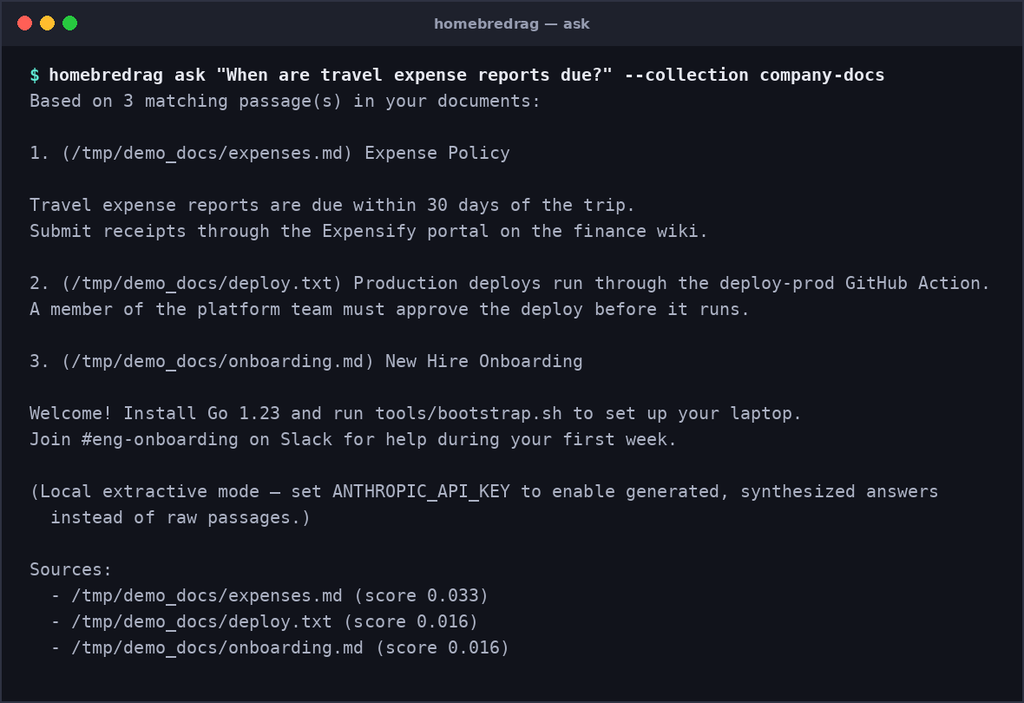
Every answer comes with citations pointing back to the source file, so you're never left wondering where a claim came from. And if the retrieved passages don't clear a confidence threshold, HomeBred-RAG says so plainly instead of guessing — a small feature that matters a lot once you've been burned by a confident-sounding wrong answer from some other tool.
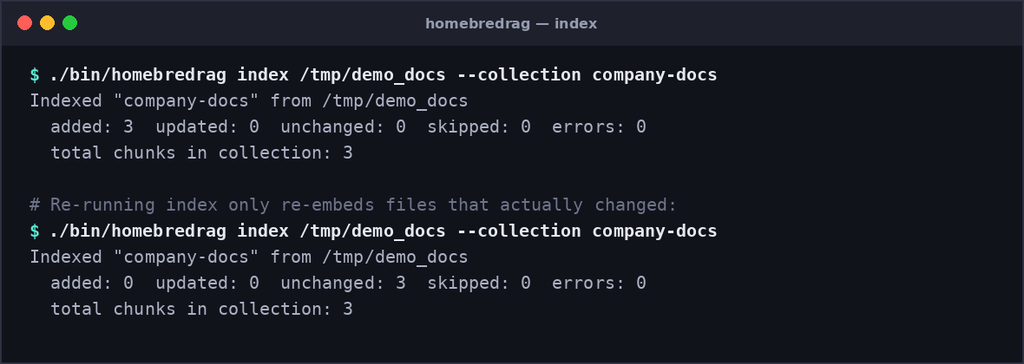
Re-indexing is incremental. Every file is hashed, so editing one document only re-embeds that document, not your entire collection. You can also point HomeBred-RAG at a folder in watch mode and it will pick up changes automatically.
Scanned documents, handled properly
Not every document starts life as searchable text. Receipts, printed contracts, and old paperwork usually exist only as scans. HomeBred-RAG has optional OCR support that recognizes text in scanned images and image-only PDFs, then indexes that recognized text exactly like any other document — same chunking, same hybrid search, same citations. It's opt-in at build time, so the core tool stays lean for anyone who doesn't need it.
A desktop app, not just a terminal
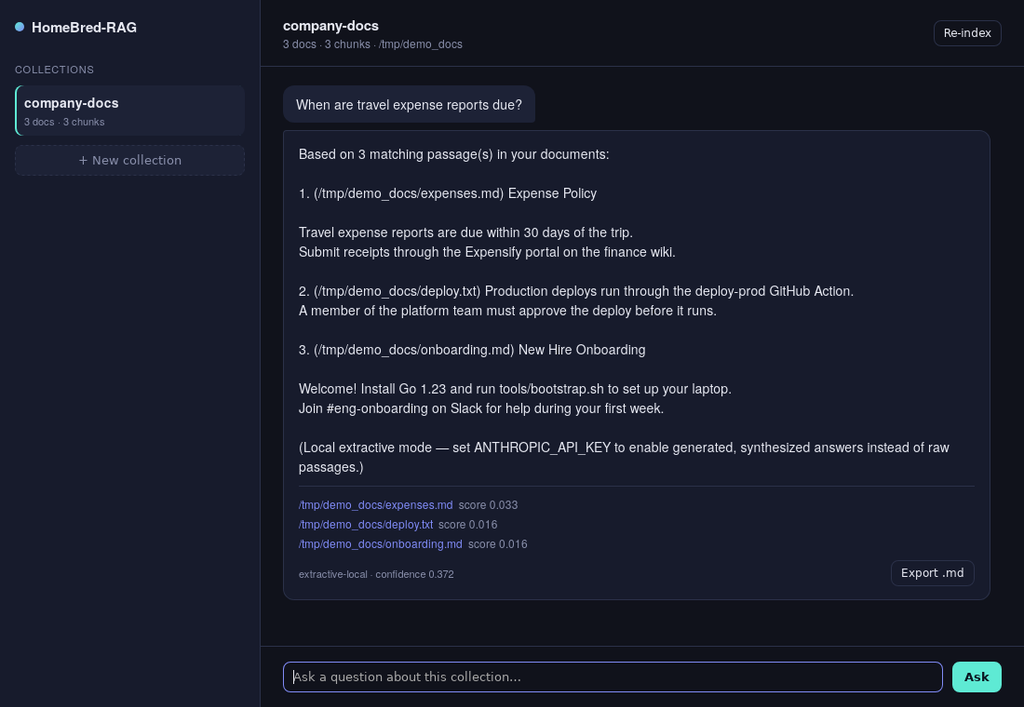
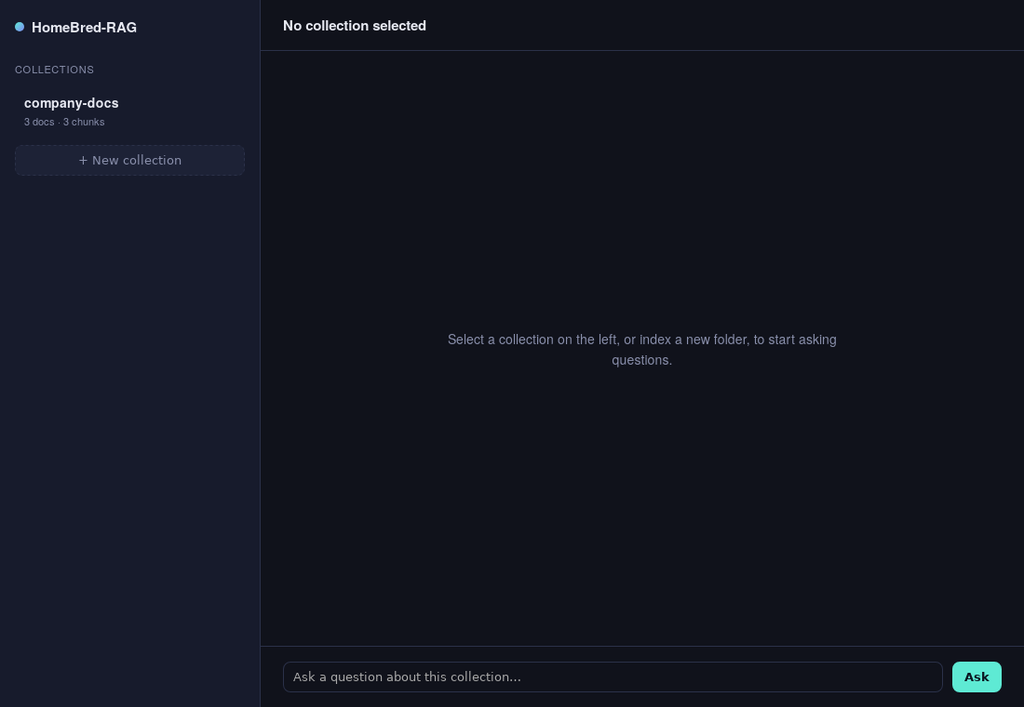
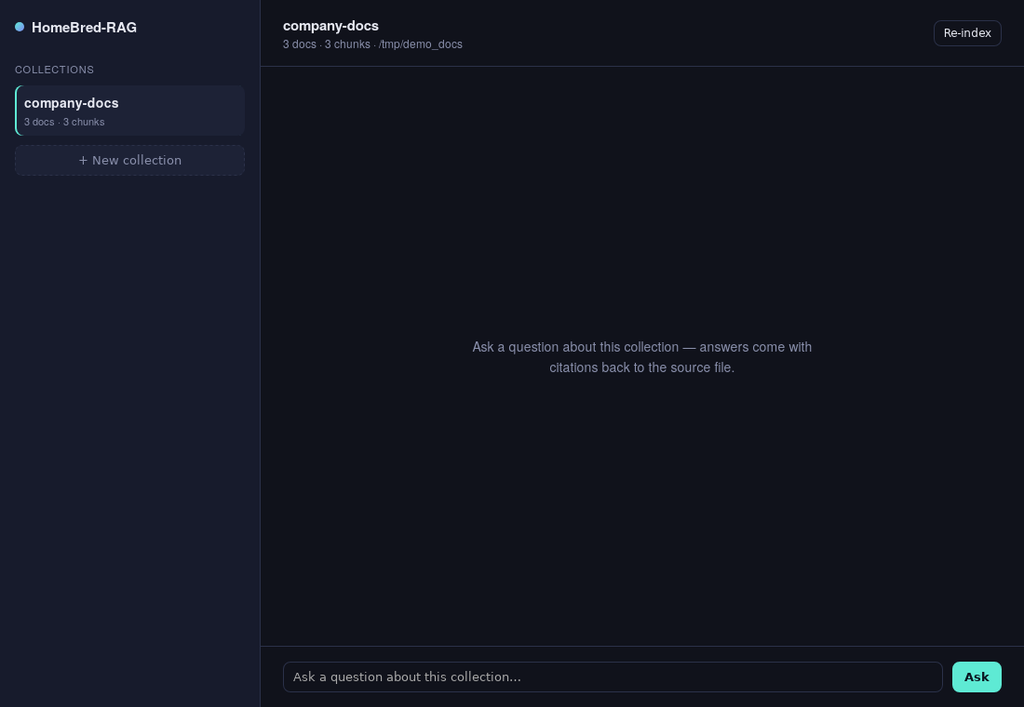
For anyone who'd rather not live in a terminal, HomeBred-RAG also ships as a native desktop app. The same collections, the same ingestion pipeline, the same cited answers — just in a window instead of a command line. Drop in a folder through a native file picker, watch it index, and start asking questions in a simple chat-style interface. Answers show their sources, a confidence score, and a one-click export to a markdown note.
Fully offline by default, connected by choice
Out of the box, HomeBred-RAG answers questions in a fully local extractive mode: it assembles the most relevant passages from your files into a readable answer with no network calls at all. If you want a more naturally written, synthesized answer instead of quoted passages, you can opt in by setting an API key for a remote model — retrieval still happens locally either way, and that step stays optional.
Who it's for
HomeBred-RAG is aimed at a few overlapping groups: people who want to search and chat with personal documents without uploading them anywhere, developers who want a searchable, question-answerable index of a local codebase, anyone dealing with a pile of scanned paperwork, and anyone already running local language models who wants proper retrieval grounding instead of relying on a model's memory alone.
Getting started
The command-line version is a single binary with no external services to configure. Clone the repository, build it, point it at a folder, and start asking questions:
homebredrag index ./docs --collection my-notes
homebredrag ask "What did I decide about the Q3 budget?" --collection my-notes
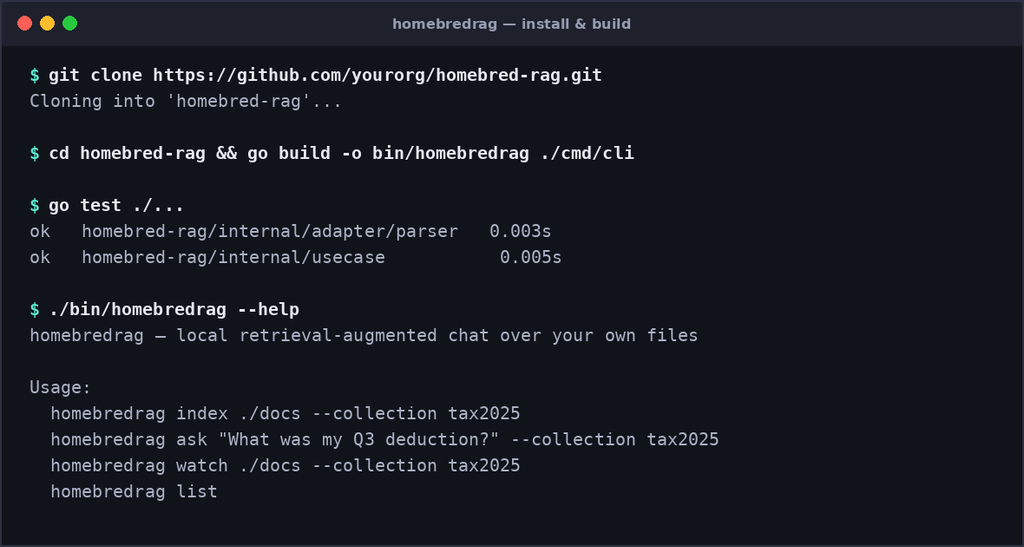
The desktop app shares the same collections, so you can index from the terminal and ask questions in the window, or the other way around.
If you've been looking for a way to get real retrieval-augmented search over your own files and scanned documents without shipping anything to the cloud first, HomeBred-RAG is worth a look.
Explore the project on GitHub – https://github.com/AIHelpers/homebred-rag
Leave a Reply