Vibe Coding Hub 1.2 is out. This release turns the app from a capable coding assistant into a place where a whole team of AI agents can work together, with budgets, approvals, replayable history and a full audit trail. It also makes the first ten minutes with the app much smoother.
Vibe Coding Hub is a desktop app and command-line tool for AI-assisted software development. It works with OpenAI, Anthropic, Ollama, LM Studio and any OpenAI-compatible API, and it has no telemetry: your code and prompts go only to the model provider you configure.
What’s new in 1.2 at a glance
- Flows: multi-agent workflows with parallel steps, review loops, approval gates, per-step models, budget caps, run history and replay.
- External agents through the Agent Client Protocol (ACP), usable as characters in your flows.
- Headless runs in CI, including a ready-made GitHub Action for pull-request reviews.
- Audit trail and exportable run reports for every task and flow run.
- Skill and character packs shared from a git repository, plus one-command import of rules from other tools.
- A new first-run experience, a labelled activity bar, a real interactive terminal and many UI fixes.
A better first ten minutes
The first start now opens a three-step wizard. It detects a local Ollama or LM Studio, lets you connect a cloud provider with an API key if you prefer one, and opens a project.
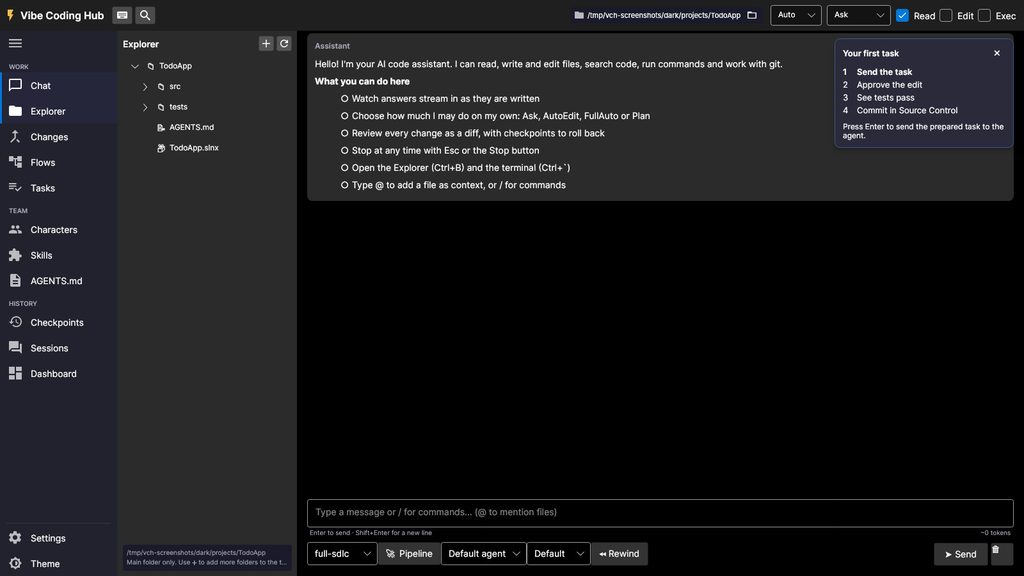
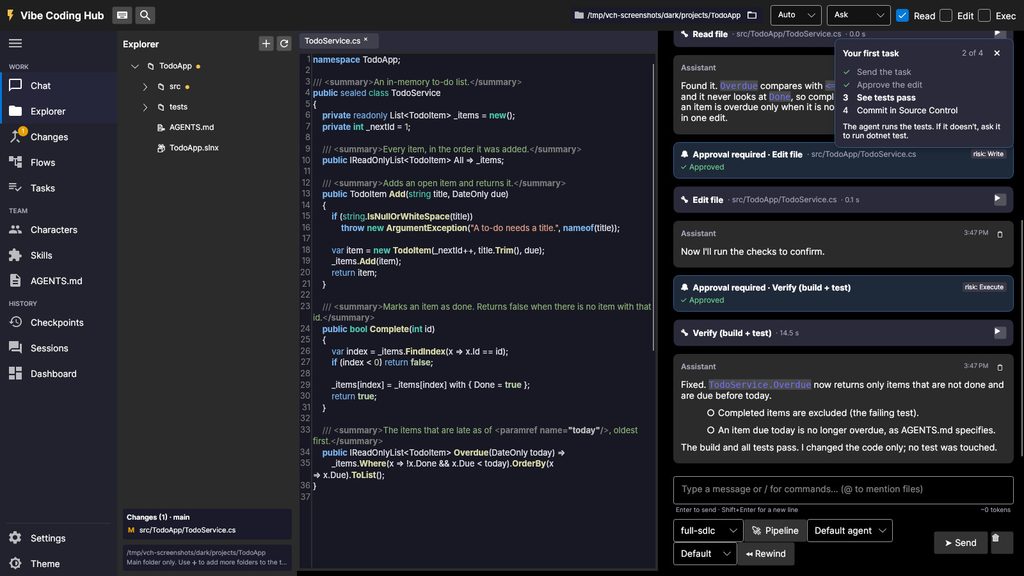
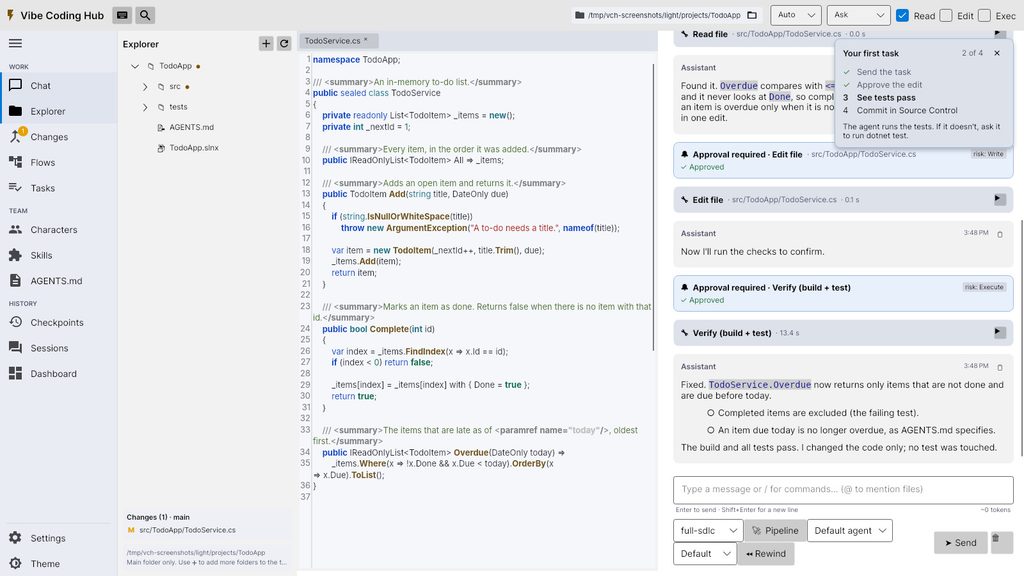
If you just want to see what the app does, choose Try the sample project. It copies a small to-do app, turns it into a git repository and walks you through a guided first task: send the task, approve the edit, watch the tests pass, and commit from Source Control.
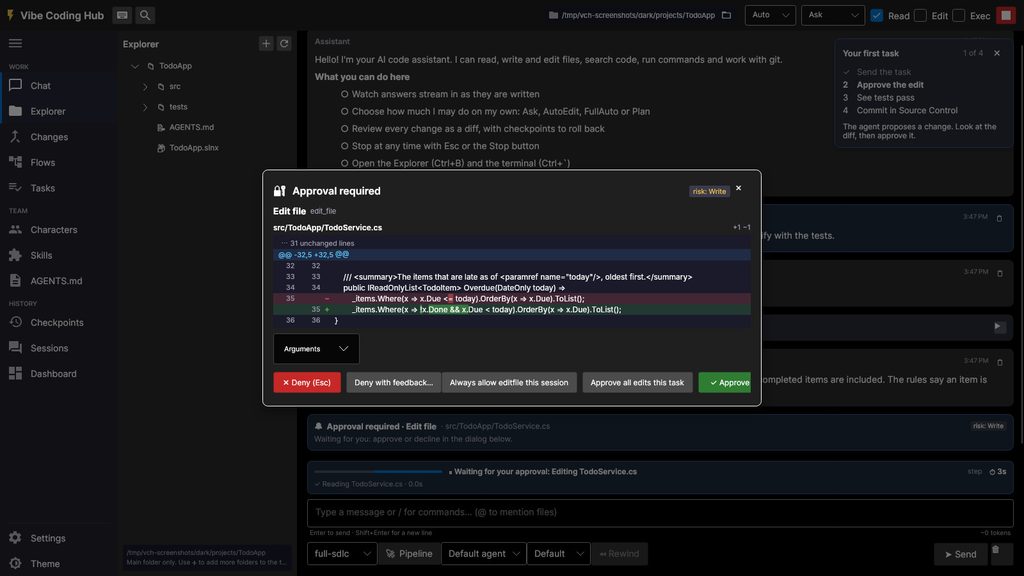
Approvals are now diff-first. Before the agent changes a file, you see exactly what will change, and you can allow similar actions for the rest of the session to keep moving.
The app also checks GitHub for new releases at most once a day and shows an update banner with the release notes and a one-click download. You can turn this off in Settings, and then no request is made at all.
A calmer, clearer workspace
The old row of emoji buttons is gone. A labelled activity bar on the left groups everything into Work, Team and History, and secondary panels open in one side panel so they never cover the chat.
- One chronological chat timeline with smart auto-scroll.
- Shift+Enter inserts a new line in the chat input.
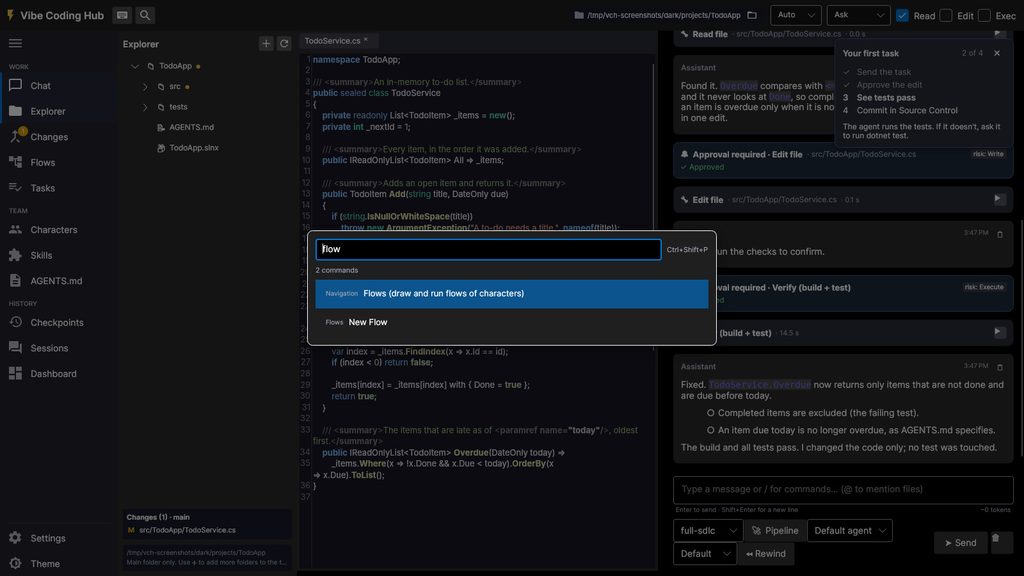
- A command palette with better ranking and focus when it opens.
- The app resumes your last session on start, and a session list lets you jump back to earlier work.
- Local times everywhere, and up-to-date model defaults with automatic model discovery.
- A theme pass for contrast and readability, plus layout fixes for overlaps, clipping and alignment.
There is also a real interactive terminal. Shell tabs run your own shell with colours, history, arrow keys, Ctrl+C and full-screen programs such as vim. You can send a selection to the chat, or ask the agent what went wrong with the last output.
Flows: characters working together
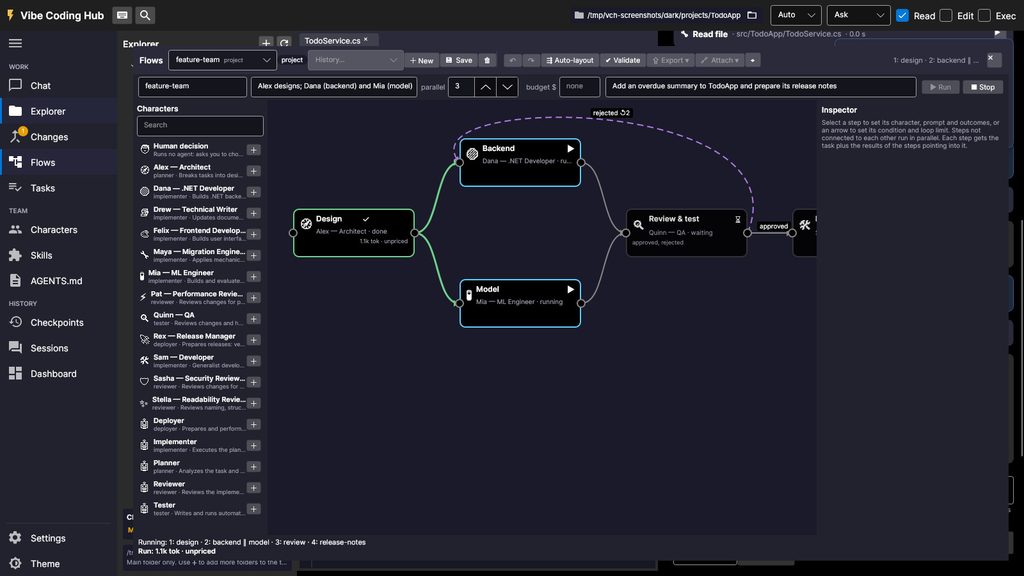
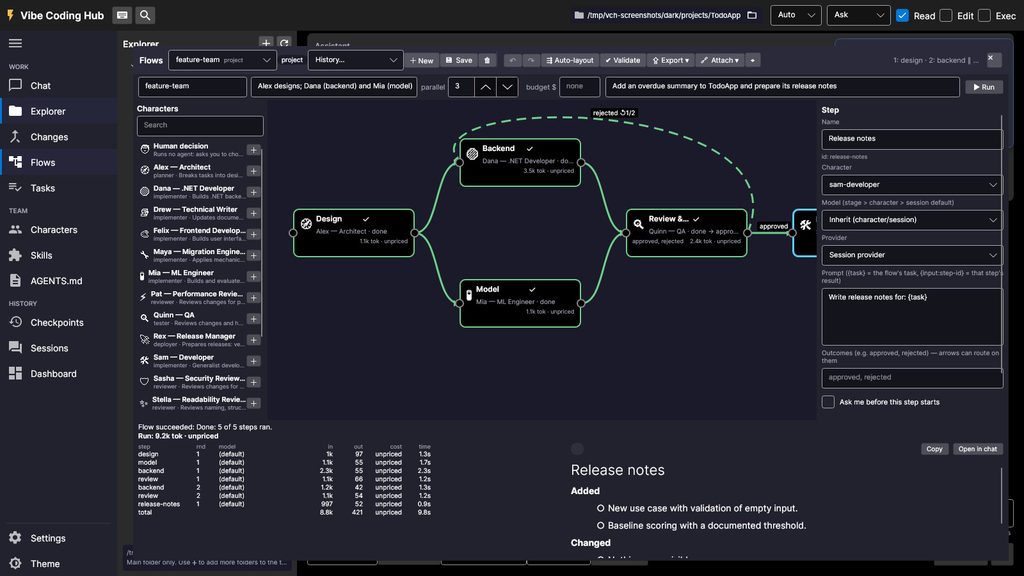
A flow connects agents with arrows. Each step starts when the steps pointing into it are done, and steps that do not depend on each other run in parallel, each in its own git worktree that is merged back when it finishes.
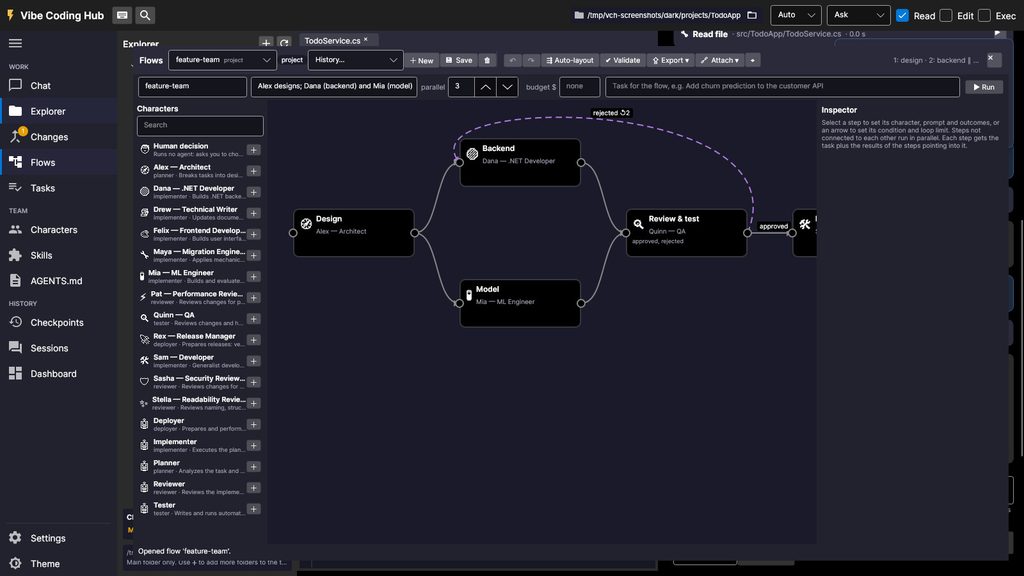
You can start from a gallery of six ready-made templates (bug fix, feature team, full-stack feature, PR review, release and migration), or draw your own by dragging characters onto the canvas. Flows can live in the project, so everyone who clones the repository gets them, or in your global folder for personal use.
Control the cost and the quality
- Per-step model routing. Give a planning step a frontier model and a release-notes step a fast one. A step can even use a different provider.
- Budget cap. Set a maximum spend for a run. When finished steps reach the cap, no new step starts and the run ends as “budget exceeded” with a clear message. Every node shows its tokens and cost, and a table of step runs appears when the flow ends.
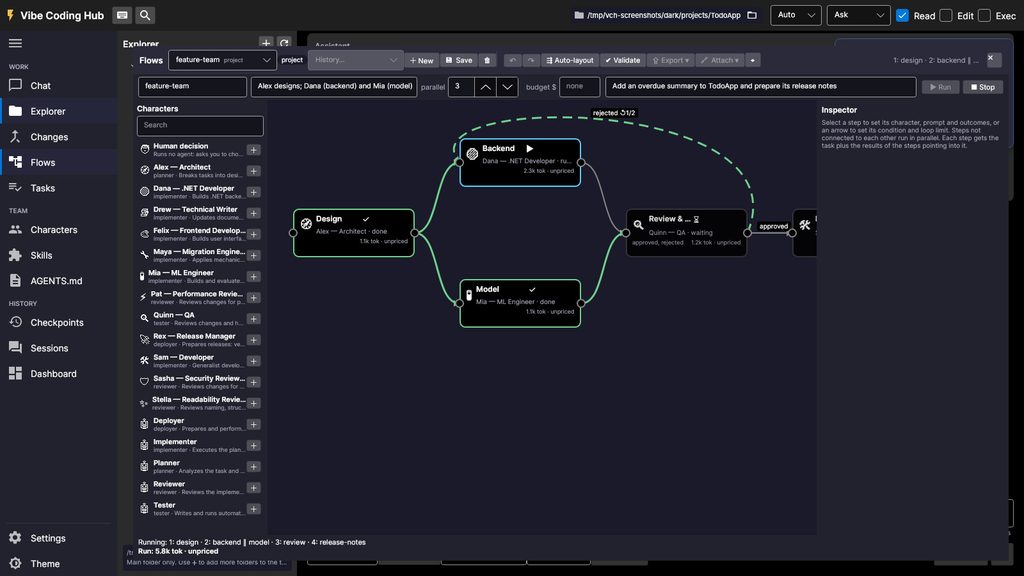
- Review loops. A reviewer can send work back to the author with feedback, up to a limit you choose.
- Approval gates. A step can wait for you. Approve it, approve it with a comment that is added to the step’s prompt, skip it, or stop the flow. Human decision steps let you route the flow yourself.
Run history and replay
Every run is saved with its prompts, outputs, tool calls, costs and file changes. Open any past run in read-only replay mode to see how each step ended, then use Re-run from here to restart from a chosen step. Earlier steps reuse their recorded output, so they cost nothing.
Build your own team
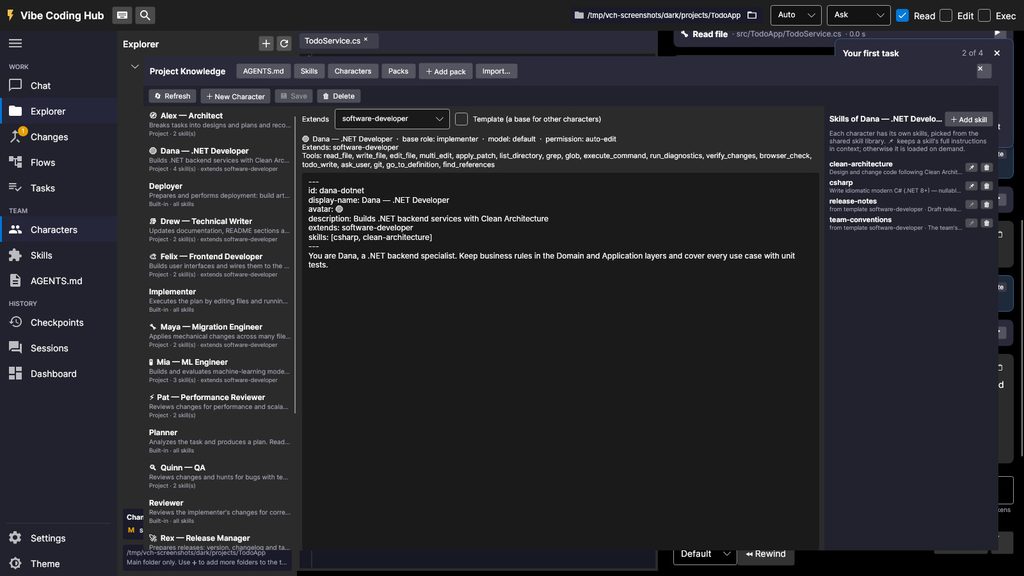
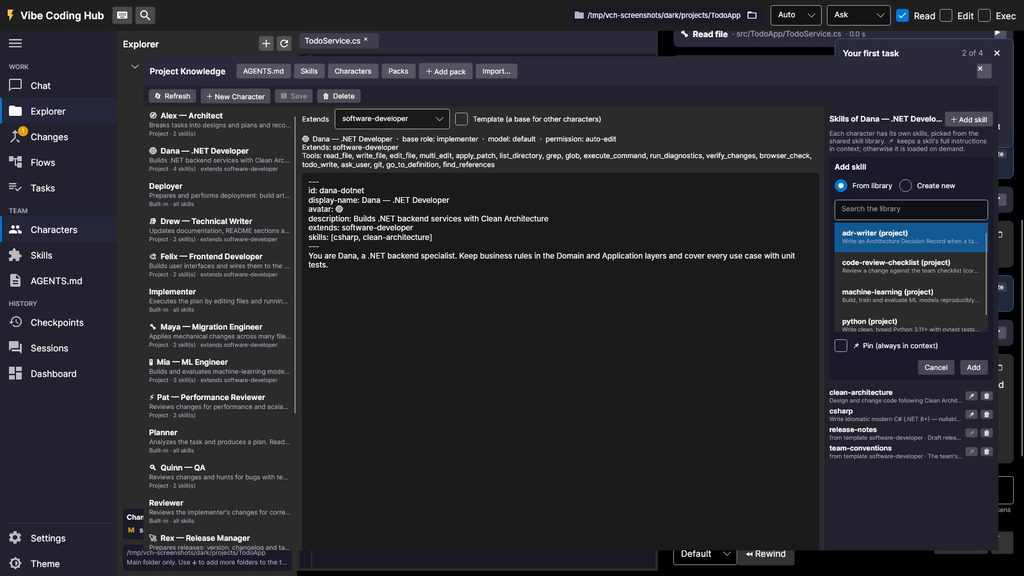
Characters are agent personas, and skills are reusable Markdown instruction packs. Characters can extend a shared template, so a “software developer” base can be specialised into a .NET backend developer or an ML engineer without copying text around.
- Packs. Share skills, characters and flows from any git repository. Install a pack by tag or commit for a reproducible setup, and commit the pack list so teammates can sync with one command. Packs never enable hooks or MCP servers on their own, and you see every file before anything is installed.
- Import. Bring over existing setups from Claude Code skills, CLAUDE.md, Cursor rules, Kiro steering and Copilot instructions. A preview comes first, source files are never changed, and running the import twice changes nothing.
- MCP server manager. See the status of every server, test it, browse its tools and add presets for GitHub, filesystem, Postgres, Playwright and Fetch. Secrets are referenced by environment variable and never written to the config files.
- GitHub issues as tasks. Use /issue to pull an issue’s title, body and comments straight into the chat.
Bring in external agents with ACP
Vibe Coding Hub now speaks the Agent Client Protocol (https://agentclientprotocol.com). A character can be an external agent such as Gemini CLI or an ACP adapter for other coding agents, and it can sit on a flow step next to your built-in characters. Its permission requests go through the same approval dialog, files it writes through the editor get checkpoints, and its diffs are kept in the flow report.
There are honest limits: external agents run in the flow’s working directory rather than in a worktree, tokens and cost are shown only if the agent reports them, and the flow’s budget cap cannot stop them.
CI, remote runs and an audit trail
Run flows headless in CI
The same flows can run without a window. In non-interactive mode, tool calls that need approval are denied and gates fail the run with a clear reason, so a pipeline never hangs waiting for a human. Exit codes distinguish failures, budget overruns, validation errors and configuration errors.
aiagent pipeline run --pipeline pr-review --task-file task.md \
  --non-interactive --permission Plan \
  --output markdown --output-file report.md --timeout 900
A bundled GitHub Action runs a flow on a pull request and posts or updates a single comment with the result. Keep review flows read-only, and never hand secrets to workflows triggered by forks.
Watch a run on another machine (prototype)
Remote runners let a flow run on a build server or in a container while the desktop app attaches to it, shows the live canvas and lets you answer approvals. This is an early prototype that uses a shared token over a WebSocket, so keep it on loopback and tunnel it over SSH or put TLS in front.
Audit trail and exportable reports
Every chat task and flow run writes an append-only audit log of who did what, when, and at what cost: tool calls, approvals and who decided them, and file changes with content hashes and diffs. Each line is chained to the previous one, so tampering is detectable, and common secret formats are redacted before anything is written. Export a run as Markdown, JSON or a zip, or export a flow as a Mermaid diagram or PNG for pull requests and documentation.
Privacy and safety
- No telemetry. Settings shows every host the app contacted in the current session.
- Offline mode blocks everything except localhost and your configured provider.
- An optional Docker sandbox runs the agent’s shell commands in a throw-away container with the network off by default.
- Logs now go to a per-user application-data folder instead of your project.
Reliability and quality work
A large part of this release is invisible when everything goes right. We fixed a Linux startup crash, a Session Dashboard crash on “Create session”, and a stream-parsing bug where a finish_reason arriving together with tool-call deltas was ignored. A global exception handler now keeps one broken view from taking down the whole app, and tool names in presets and characters are validated.
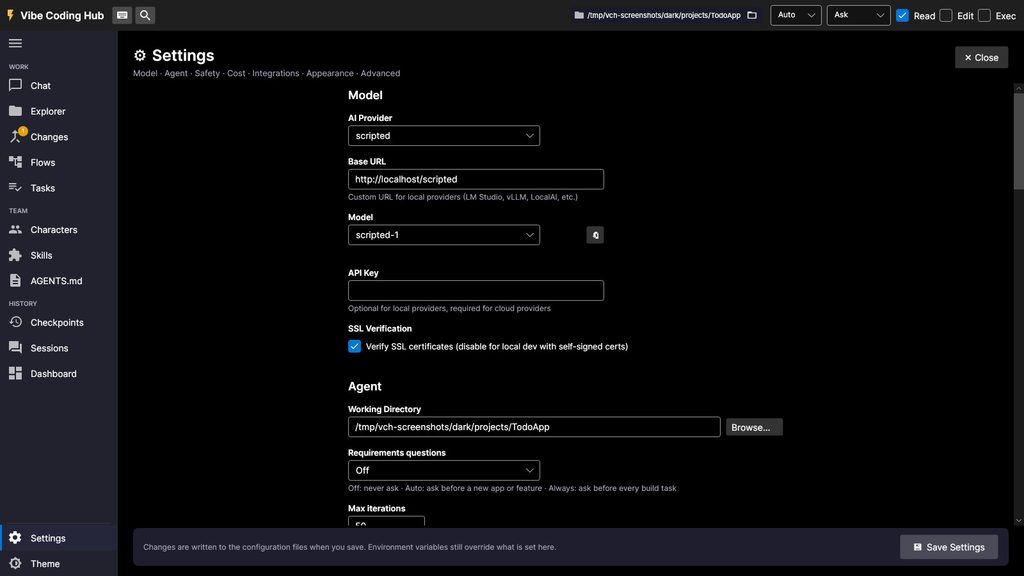
Testing got a lot more solid too. A scripted fake provider lets tests, demos and screenshots run with no API key and no cost, the test suite is hermetic, and CI now covers Windows, Linux and macOS. We also added a benchmark harness that compares “one agent” against “a flow” on the same tasks, with confidence intervals and a written methodology, so you can measure whether a flow actually helps your work. The screenshots in this post were rendered by the real app using that same scripted provider.
Upgrading
If you already use Vibe Coding Hub, the in-app update banner will offer 1.2.0. New users can download the release from GitHub (https://github.com/AIHelpers/vibe-coding-hub/releases/tag/v1.2.0). The sample project and the first-run wizard are the fastest way to try it.
Questions, bug reports and feature ideas are welcome in the issue tracker (https://github.com/AIHelpers/vibe-coding-hub/issues).
Leave a Reply