If you build or consume APIs, you already know the problem: the backend isn’t ready, but the frontend team needs something to build against today. Hand-written stub servers drift out of sync with the real contract within a week. Postman mock servers work, but they live outside your codebase and don’t version with it.
OpenAPI Mocker takes a different approach. You give it an OpenAPI contract — upload it, paste it, or generate it from a plain description — and it instantly serves every endpoint in that contract as a working mock API. No build step, no deploy pipeline. The moment you publish a contract, it’s live.
It’s a single self-hosted Go application with a built-in web UI, so it runs the same way on your laptop, in Docker, or in a Kubernetes cluster.
WHAT YOU CAN DO WITH IT
- Organize work into projects, each with its own contract and mock rules
- Upload a contract file, paste it, or generate one from a description using an LLM
- Get instant validation against the OpenAPI 3.x spec
- Add mock response data by hand, or have an LLM generate it to match your schema
- Connect any LLM provider — OpenAI, Azure OpenAI, Anthropic, Google Gemini, Ollama, LM Studio, vLLM, Groq, OpenRouter, Together, DeepSeek, or a fully custom HTTP endpoint
- Switch between response scenarios (happy path, empty, error) with a single header
- Simulate network latency and random failures to test how your client handles them
- Track every published version of a contract, compare versions, and roll back
- Generate a working Go server skeleton or Go client straight from the contract
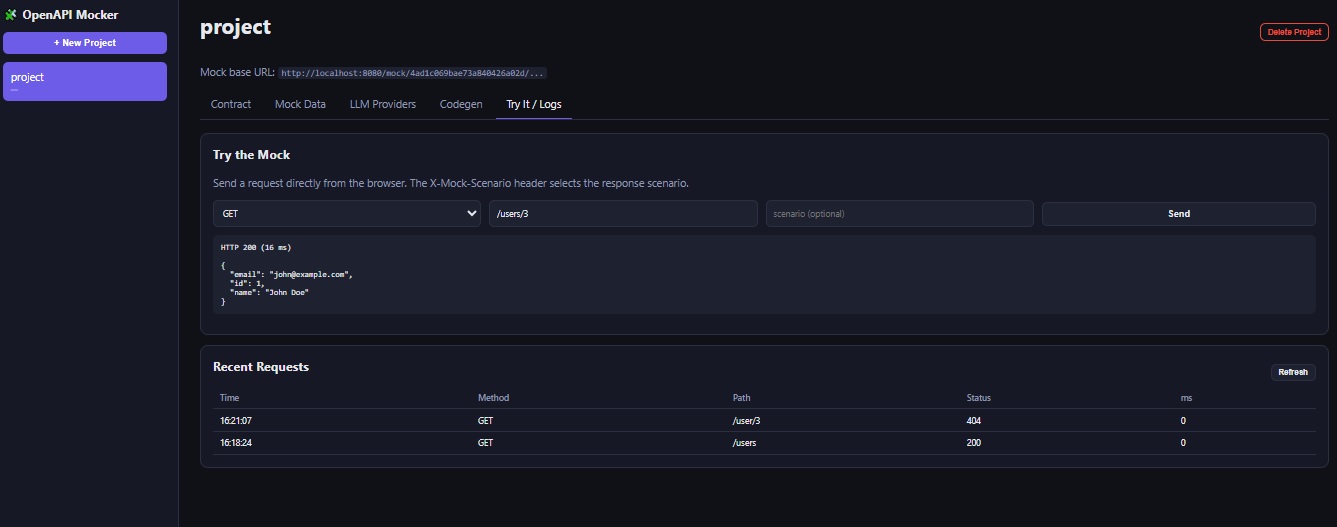
- Watch a live log of every request your mocks have served
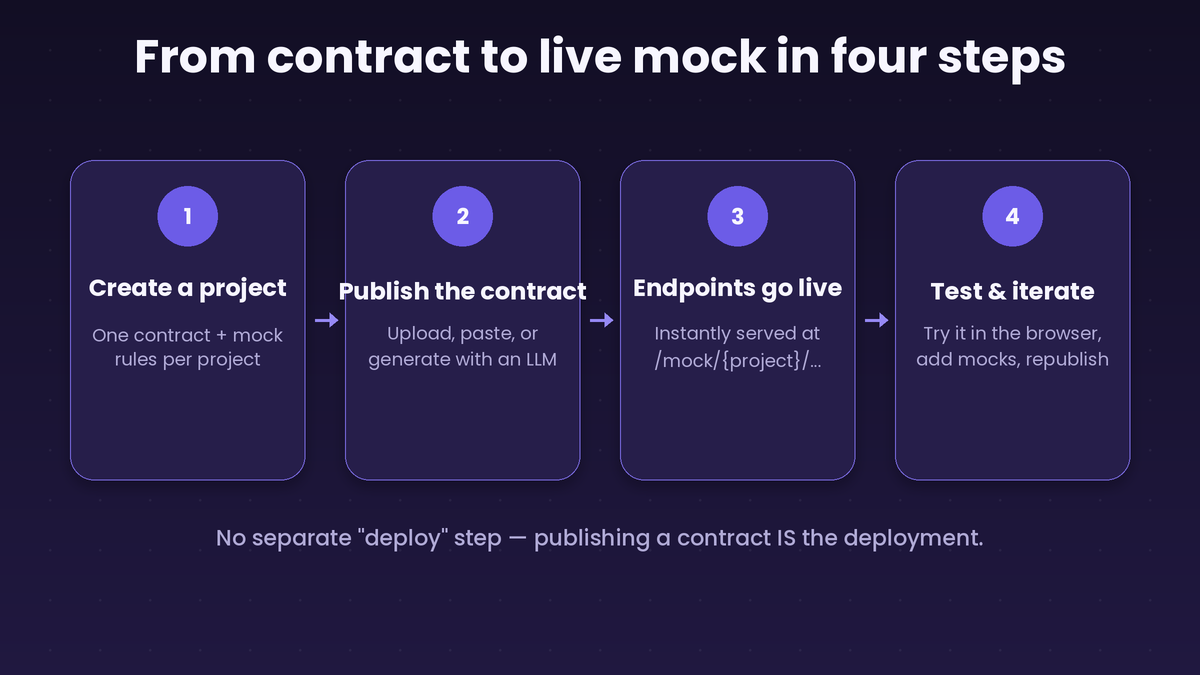
HOW IT WORKS, IN FOUR STEPS
- Create a project
Each project holds one active OpenAPI contract and its own set of mock rules. Projects are fully isolated from each other, so you can run a mock for every microservice you’re integrating with side by side. - Publish a contract
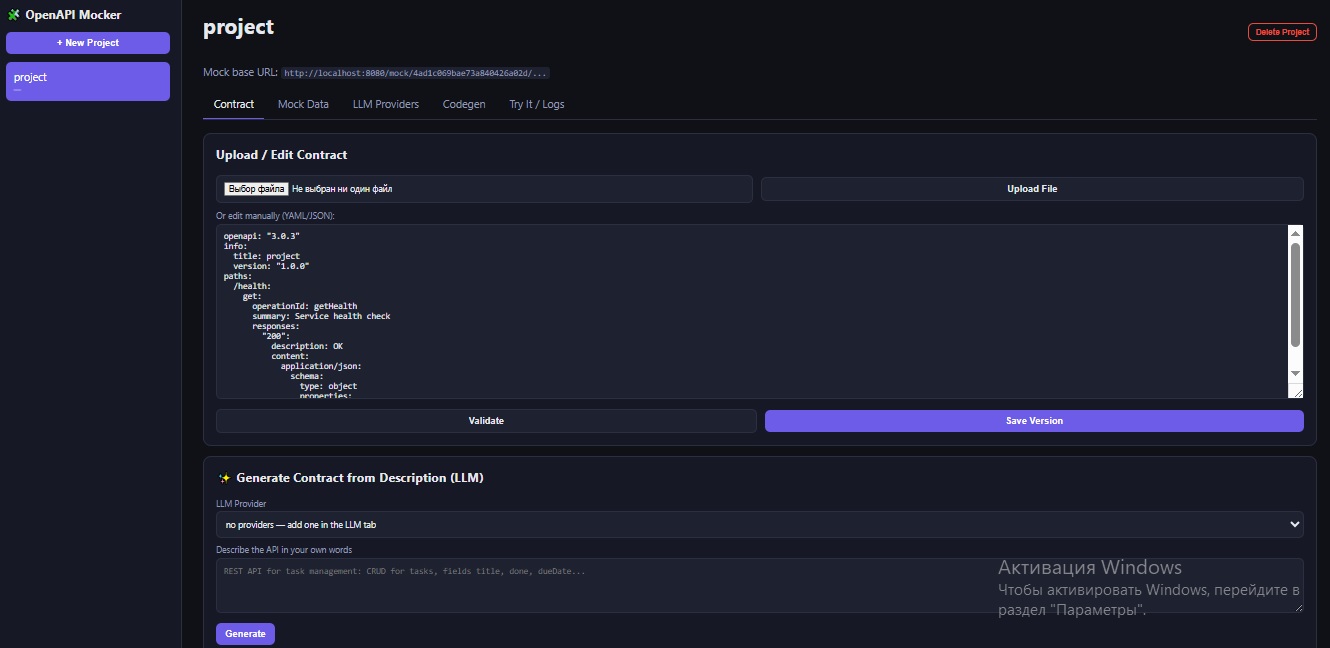
Upload a YAML or JSON file, paste the contract directly into the built-in editor, or describe your API in plain text and let an LLM draft the OpenAPI document for you. Every save is validated against the OpenAPI 3.x specification before it’s accepted. - Endpoints go live immediately
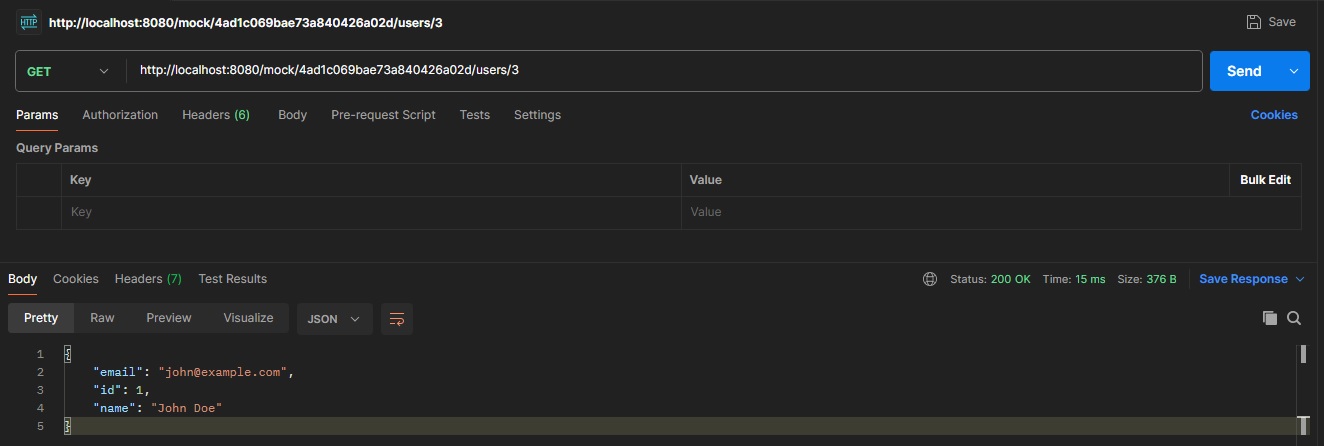
This is the core idea behind the tool: publishing a contract IS the deployment. There’s no separate “build” or “deploy mock server” step. As soon as a contract is saved, every path and method it describes is reachable at:
/mock/{projectId}/your/endpoint/path- Test and iterate
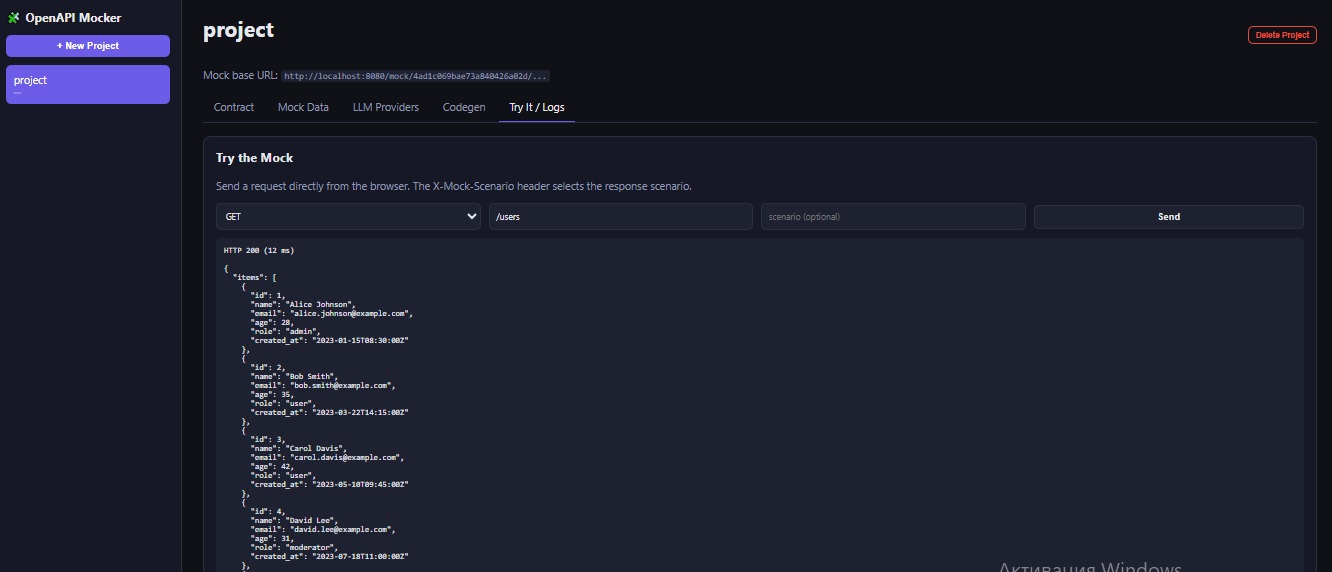
Use the built-in “Try it” panel to send a request straight from the browser, check the response, add or adjust mock rules, and republish. The request log shows you exactly what was called, when, and what was returned.
GETTING YOUR CONTRACT IN
You have three options, and you can mix them freely over the life of a project:
Upload a file — drop in an existing .yaml, .yml, or .json OpenAPI file exported from your API design tool or written by your backend team.
Write it by hand — the built-in editor validates as you go, so you’ll know immediately if a path, schema, or response is malformed before it’s published.
Generate it from a description — pick a connected LLM provider, describe the API you need in a sentence or two (“a REST API for managing tasks: CRUD endpoints, fields for title, done, and due date”), and the model drafts a complete OpenAPI 3.0.3 document, including request/response schemas and examples. You review it in the editor before publishing, so nothing goes live without a human checking it first.
VERSIONING AND ROLLBACK, BUILT IN
Every time you publish a contract, a new version is created — the history is never overwritten. From the Contract tab you can:
- See the full version history with source (manual, upload, generated, or rollback) and timestamp
- Open any past version and read its raw content
- Compare any version against the current one with a line-by-line diff, additions and removals clearly marked
- Roll back to an old version with one click — this publishes it again as a new version, so your history stays a straight, honest timeline instead of being rewritten
FILLING IN MOCK DATA
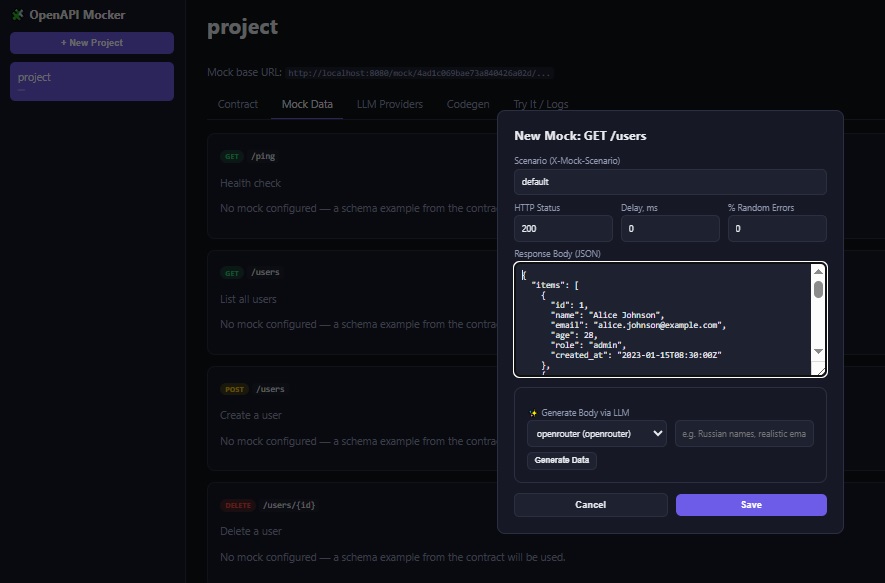
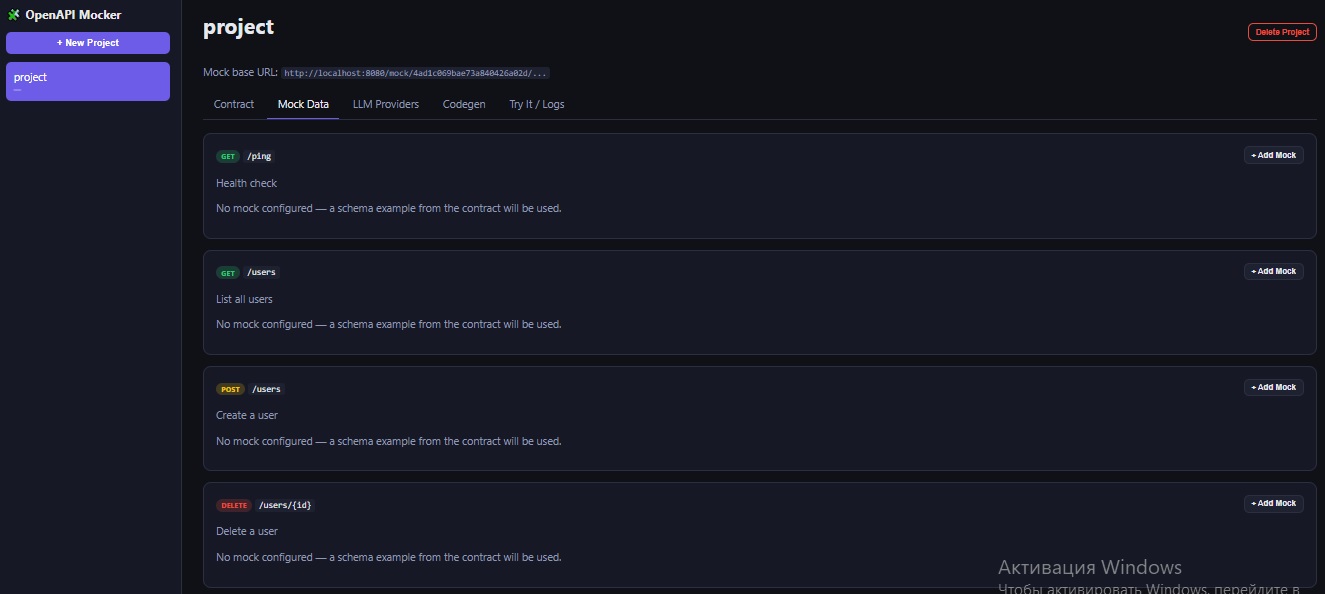
Once a contract is live, every endpoint already responds — even before you configure anything. If no mock rule is set, the response is generated automatically from the JSON Schema in your contract, so you always get something structurally valid back.
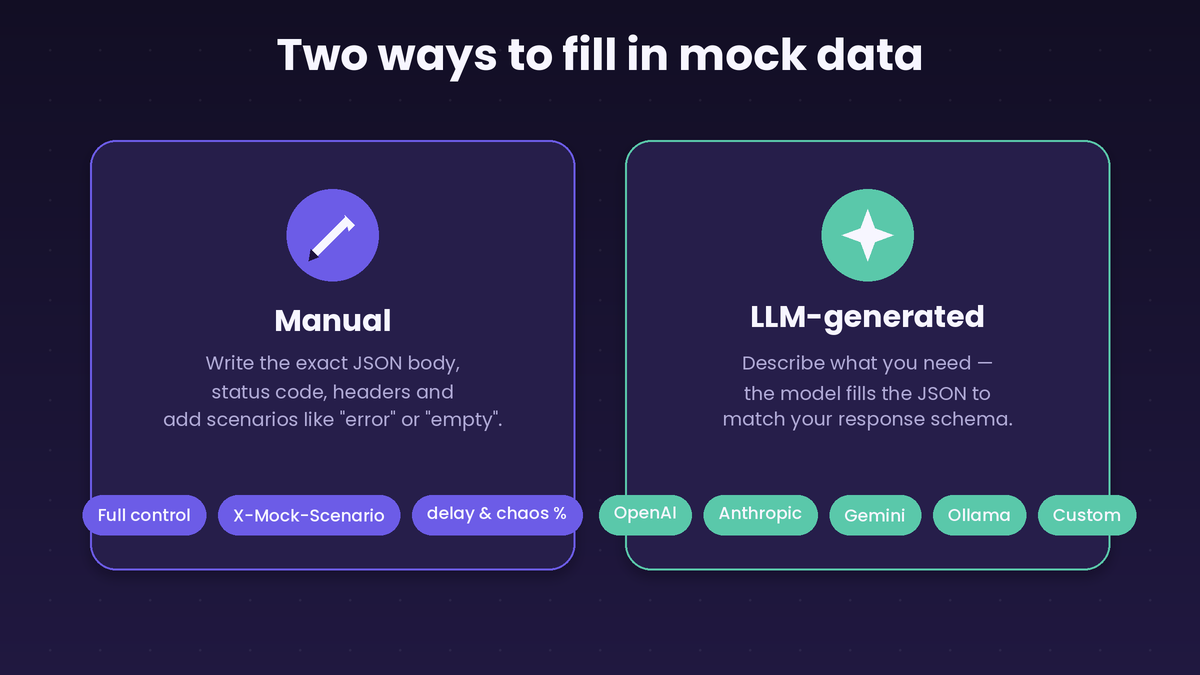
For real test data, you have two paths:
Manual — write the exact JSON body you want, choose the status code, add custom headers, and optionally name a scenario like “error” or “empty”. Send that scenario name in an X-Mock-Scenario request header to switch between variants on the fly, without touching the mock configuration.
LLM-generated — pick a connected provider, optionally add a hint (“Realistic email addresses, names or numbers”), and the model generates a JSON body that’s checked against your response schema automatically. If the result doesn’t fully match the schema, you’ll see a warning before you save it.
Two more features worth knowing about if you’re testing resilience, not just happy paths:
Delay simulation — set a response delay in milliseconds to see how your client handles slow networks.
Chaos testing — set a percentage chance that a request returns a random 5xx error instead of the configured response, even on an otherwise successful mock rule. Useful for testing retry logic and error handling before you hit production.
CONNECTING AN LLM PROVIDER
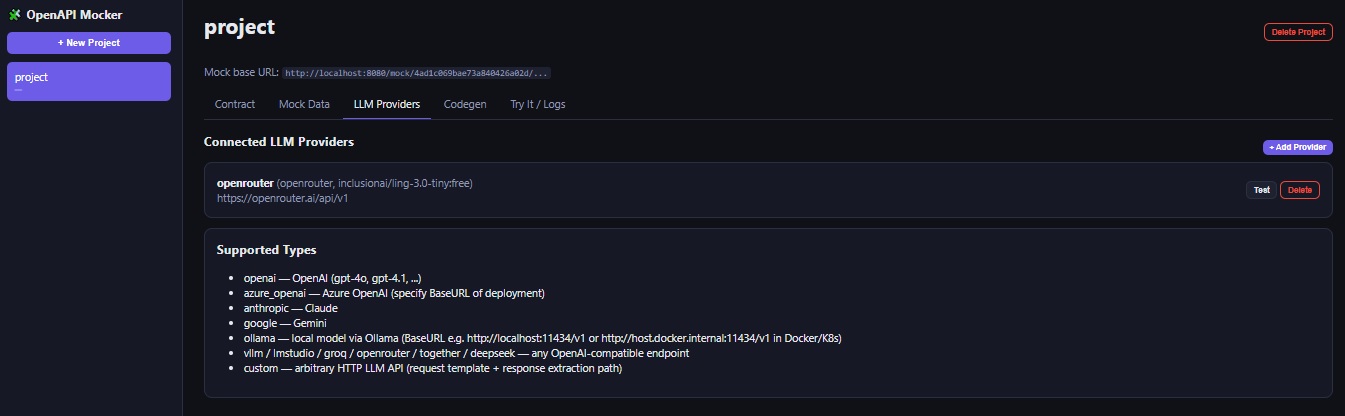
LLM features are entirely optional — the mock server works fine without them — but connecting one unlocks contract generation and mock data generation. Supported providers:
- OpenAI
- Azure OpenAI
- Anthropic (Claude)
- Google Gemini
- HomeBred-LLM, Ollama, LM Studio, vLLM — for running models locally, including inside Docker or Kubernetes
- Groq, OpenRouter, Together, DeepSeek
- Custom — any other HTTP-based LLM API, configured with your own request template and a path to extract the response text
Providers can be scoped globally (available to every project) or to a single project, and each one has a “test connection” button so you know it works before you rely on it in a workflow.
If you’re running fully locally, point a provider’s Base URL at your HomeBred-LLM port can be configured for every model or Ollama instance — for example http://host.docker.internal:8087/v1 or http://host.docker.internal:11434/v1 when the mock server itself is running in Docker Desktop.
GENERATING SERVER AND CLIENT CODE
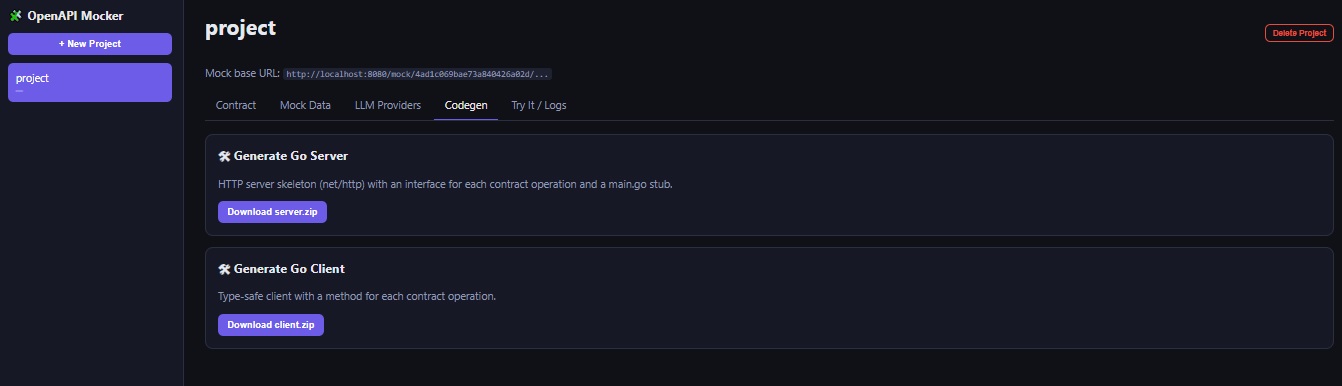
Once your contract is in good shape, you don’t have to leave the tool to scaffold real code. From the Codegen tab you can download:
A Go server skeleton — an interface with one method per operation in your contract, a router that wires it all together, and an example main.go to get a real server running in minutes.
A Go client — one method per operation, with path parameters and request bodies handled for you, ready to import into another Go project.
Both download as a ready-to-use zip file.
RUNNING IT ANYWHERE
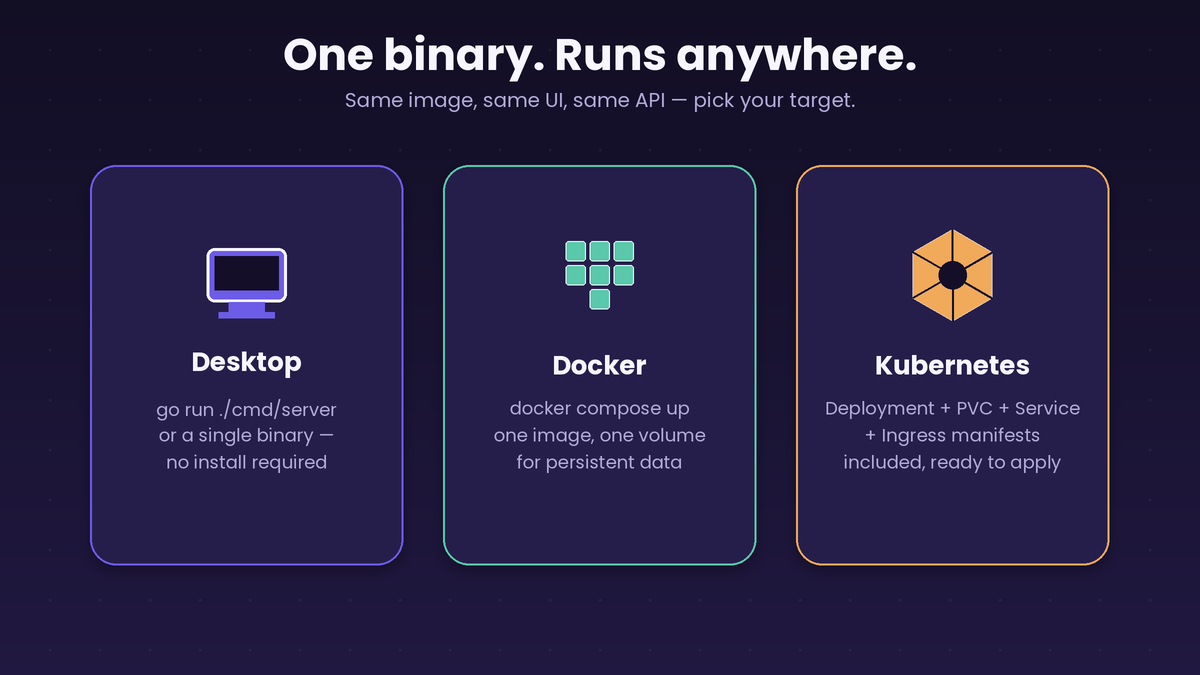
OpenAPI Mocker ships as a single Go binary with the web UI embedded, so there’s nothing extra to install or configure:
Desktop — run it directly with go run or a compiled binary. Nothing else required.
Docker — a single docker compose up starts the app with a persistent volume for your data.
Kubernetes — Deployment, PersistentVolumeClaim, Service, and Ingress manifests are included and ready to apply to any cluster.
Because everything — projects, contracts, mock rules, provider settings, logs — persists to disk, your setup survives restarts and redeploys.
A FEW TIPS
- Keep one project per service you’re integrating with, not one giant project for everything — it keeps mock rules easy to find and contracts easy to review.
- Use scenarios instead of separate projects when you need to test different states of the same endpoint (empty list, single item, server error).
- Review LLM-generated contracts and mock data before publishing — generation is fast, but you’re still the one responsible for what your team builds against.
- Turn on chaos testing shortly before a release, not on day one — it’s most useful once the happy path already works and you want to harden the client.
- Roll back instead of manually re-pasting an old contract — it keeps your version history accurate.
GET STARTED
OpenAPI Mocker is self-hosted, so you’re always in control of your data and your infrastructure. Spin it up locally in a couple of minutes, point your frontend at a mock endpoint, and start building against a contract instead of waiting for a backend.
https://github.com/Eisenmann/openapi-mocker
Leave a Reply